How Pollution Control Icons Shape Clearer Environmental Communication Across Every Medium
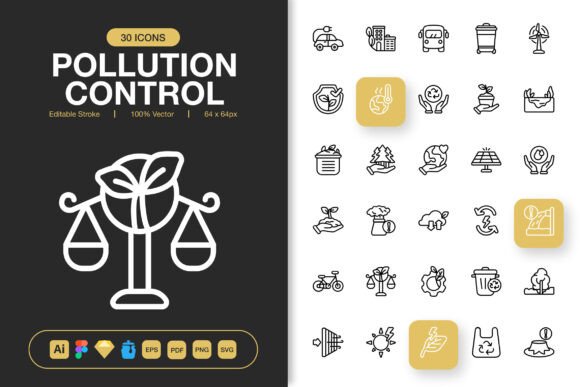
Visual clarity often determines whether an environmental message lands with impact or fades into the background. When designers, educators, and campaigners need to convey complex ecological concepts quickly, iconography becomes the bridge between data and understanding. A carefully crafted set of Pollution Control Icons offers more than decoration—it provides a consistent visual vocabulary that works across websites, mobile interfaces, printed materials, and public awareness campaigns. This article explores the design philosophy, technical versatility, and practical application of high-quality environmental icon sets, examining why editable stroke, multi-format delivery, and scalability matter for projects that demand both professionalism and purpose.
The Growing Demand for Environmental Visual Assets
Organizations worldwide are integrating sustainability narratives into their branding and communications. From government agencies tracking air quality indices to startups building carbon footprint calculators, the need for recognizable, trustworthy symbols has never been greater. Generic clipart often fails to meet modern design standards—pixelated edges, inconsistent line weights, and limited file compatibility can undermine the credibility of an otherwise well-planned project. This is where a dedicated collection of Pollution Control Icons becomes valuable, offering symbols that have been designed with a unified aesthetic and practical functionality from the ground up.
Consider the challenge faced by a municipal environmental department preparing an annual report on water quality. The document must communicate technical measurements to a non-specialist audience. Using consistent iconography for concepts like effluent discharge, particulate matter, noise pollution, or recycling streams helps readers navigate data-dense pages without feeling overwhelmed. The icons act as cognitive shortcuts, reducing the mental effort required to interpret information while reinforcing the authority of the content.
Why Consistency Across Visual Elements Matters
When multiple designers contribute to a project or when assets are reused across different platforms, maintaining visual coherence becomes difficult. A scattered collection of mismatched icons—some with filled shapes, others with thin outlines, each in different stylistic families—creates friction for the viewer. High-quality Pollution Control Icons solve this by providing a cohesive family where every glyph shares the same stroke width, corner radius, and proportional scale. The result is a seamless experience whether someone views the icons on a 6-inch smartphone screen or a 30-foot exhibition banner.
Inside the Craft: What Defines a Versatile Icon Set
Not all icon collections are built equally. The difference between a basic free download and a professionally produced set lies in the design details and the flexibility offered to the end user. Understanding these characteristics helps decision-makers choose resources that genuinely enhance their workflow rather than creating additional work.
Editable Stroke and Customization Freedom
One of the most significant practical features in modern icon design is the editable stroke. Unlike flattened, non-editable vector files where the stroke has been expanded into filled paths, icons with editable strokes allow designers to adjust line weight with a single click. A project that requires a delicate 1-pixel stroke for a mobile app can instantly be adapted to a bold 4-pixel stroke for a poster design—without recreating the artwork. This flexibility extends to color changes as well; the stroke and fill can be modified independently, enabling rapid iteration during the design process.
For example, a nonprofit creating an infographic about urban smog might need to match the icon colors to their brand palette. With editable stroke Pollution Control Icons, changing the default black outline to a custom teal or orange takes seconds. The same icon can then be used in a report with a completely different color scheme, maintaining consistency while adapting to context.
High Resolution and Multi-Scale Performance
The term "high quality" gets thrown around frequently, but in iconography, it has a specific technical meaning. It refers to the precision of anchor point placement, the smoothness of Bézier curves, and the absence of artifacts when scaling. Icons built to high standards look equally crisp at 32 pixels as they do at 512 pixels. The raster export options—32px, 48px, 64px, 96px, 128px, 256px, and 512px PNG files with transparency—cover every conceivable use case. Small sizes suit favicon implementations and compact UI elements, mid-range sizes work for web illustrations, and the largest formats accommodate print layouts where resolution requirements are demanding.
The transparency channel in PNG exports deserves special mention. When placing an icon over a gradient background, textured surface, or photographic image, a clean alpha channel ensures there are no white halos or jagged edges around the symbol. This professional finish distinguishes premium assets from hastily exported alternatives.
File Format Diversity and Workflow Integration
Design teams rarely operate within a single software ecosystem. A project might begin in Adobe Illustrator, transition to Figma for collaboration, move to Sketch for interface design, and ultimately require EPS and PDF deliverables for print vendors. The inclusion of multiple source file formats in a well-organized icon set eliminates time-consuming conversion steps and reduces the risk of compatibility errors.
- Adobe Illustrator (.ai) – The industry standard for vector illustration, offering full editability and access to artboards, layers, and stroke properties.
- Figma File (.fig) – Direct integration with the collaborative design platform, enabling teams to drag icons into wireframes and prototypes without leaving the browser.
- Iconjar File – Compatibility with the icon management application, allowing users to search, tag, and organize thousands of icons efficiently.
- Sketch File – Native support for the macOS design tool popular among UI and UX professionals.
- EPS Version 10 – Broad compatibility with legacy design software and print production workflows, ensuring no vendor is left unable to open the files.
- PDF File – Universal vector format suitable for sharing proofs, embedding in documents, and printing at any scale.
- SVG File – Lightweight, web-optimized code that can be embedded directly into HTML or manipulated with CSS and JavaScript for interactive applications.
Having all these formats available from a single download means the Pollution Control Icons set can serve as a central resource that supports every stage of a project's lifecycle—from initial concept sketches to final production assets. Developers can grab the SVGs for a website build, while the print team accesses EPS files for a brochure, and neither needs to request conversions or compromise on quality.
The Hidden Value of a Readme File
Often overlooked, a comprehensive Readme.txt file accompanying an icon set provides documentation that saves hours of trial and error. It typically includes license terms, file organization structure, installation instructions for Iconjar, and notes on optimal usage. For teams managing multiple asset libraries, this documentation ensures that everyone from junior designers to senior art directors can locate and utilize the icons correctly from day one.
Real-World Applications Spanning Industries
The versatility of well-designed environmental icons extends far beyond the obvious use cases. Let's examine how different sectors benefit from incorporating them into their visual communications.
Websites and Mobile Applications
User interfaces for sustainability apps, weather services, and civic engagement platforms rely on intuitive iconography to guide navigation. A leaf symbol might represent eco-friendly options, a droplet indicates water conservation features, and a smokestack with a line through it communicates emission reduction. When these icons maintain visual harmony, users navigate with confidence and the brand perception improves. The drag-and-drop ease mentioned for this set means developers can implement icons quickly without interrupting sprints or waiting for design revisions.
Educational Materials and Books
Textbooks on environmental science, children's books about nature, and academic publications benefit from diagrams that use clear symbolic language. An editable stroke allows educators to adapt the same icon set for different age groups—thinner, more detailed strokes for high school texts and bolder, simpler versions for elementary materials. The consistency across chapters helps students build familiarity with key concepts represented by recurring symbols.
Social Media and Digital Campaigns
Environmental organizations running awareness campaigns on platforms like Instagram, Twitter, and LinkedIn need assets that compress well and remain legible at small sizes in feeds. SVG and PNG formats from the set cover these requirements. Campaign designers can quickly produce infographics where multiple pollution control symbols work together to tell a data-driven story—perhaps showing the reduction in plastic waste over time or comparing air quality metrics across cities.
Print Media, Banners, and Posters
Large-format printing demands vector files that scale without degradation. The EPS and PDF versions of Pollution Control Icons are built for this purpose. A conference on sustainable development might feature banners where meter-wide icons draw attention from across an exhibition hall. The editable stroke ensures that even at massive sizes, the line weight remains visually appropriate—not too spindly to be seen from a distance, nor too heavy to appear clumsy.
Infographics and Data Visualization
Complex datasets about pollution levels, recycling rates, or renewable energy adoption become accessible when paired with clear visual markers. Icons placed next to numerical values provide immediate context that raw numbers alone cannot convey. The transparent PNG exports allow designers to layer icons over charts and graphs without blocking underlying data, while the SVG files enable interactive web-based visualizations where icons respond to user interactions.
Choosing Icons That Elevate Your Next Project
Selecting an icon set is a decision that ripples through every stage of production. The wrong choice leads to frustration, rework, and visual inconsistency. The right choice—one that emphasizes editable strokes, multi-format availability, scalable resolution, and ease of integration—becomes an asset that paid dividends across projects for years. The combination of Adobe Illustrator, Figma, Iconjar, Sketch, EPS, PDF, SVG, and graded PNG files in a single package means that no matter what tool a collaborator prefers, the icons remain accessible and unaltered in quality.
For those working in environmental communication, the subject matter carries inherent weight. Pollution control is not an abstract concept; it touches public health, ecological balance, and economic policy. Icons representing these ideas should reflect the seriousness of the topic through precise, professional design rather than cartoonish approximations. A minimalist approach to icon design—favoring clean lines, purposeful negative space, and unambiguous silhouettes—achieves this while remaining aesthetically versatile enough for corporate, governmental, and grassroots contexts alike.
The ease of drag-and-drop functionality cannot be overstated in fast-paced production environments. When deadlines loom, the ability to pull an icon directly into a layout without format conversion or manual path cleanup preserves creative momentum. This practical advantage, combined with the confidence that every file has been prepared to professional standards, transforms an icon set from a mere collection of graphics into a genuine productivity tool.
The Technical Backbone: Understanding Vector and Raster Delivery
Modern design workflows straddle the line between vector and raster output. Vector files (AI, EPS, PDF, SVG, Figma, Sketch) store mathematical descriptions of shapes, enabling infinite scaling. Raster files (the PNG series at 32px through 512px) offer pixel-perfect previews and are ready for direct use in web and screen applications. The provision of both types in a single download acknowledges that creators move fluidly between digital and physical media, often within the same campaign.
The PNG transparency feature is particularly valuable for layered compositions. Imagine a flyer design with a textured paper background visible through the transparent areas of an icon depicting a recycling symbol. That level of integration creates a polished, custom feel that opaque-background icons cannot match. Meanwhile, the SVG files open up possibilities for web animation—using CSS to change icon colors on hover or to animate stroke properties as users scroll down a page.
With 100 customizable icons available, the range of pollution-related topics covered ensures that most communication needs are met without resorting to off-theme substitutes. This thematic coherence strengthens brand identity for organizations that publish regularly about environmental issues, creating a signature visual style that audiences come to recognize over time.
Ultimately, the measure of any design resource is how naturally it fits into the creator's hand and how reliably it performs under the pressures of real-world production. A set of Pollution Control Icons that combines aesthetic restraint with technical thoroughness becomes more than a purchase—it becomes a partner in the ongoing work of making environmental information clear, compelling, and actionable. Whether the next project is a mobile app tracking personal carbon footprint, a research poster for an academic conference, or a social media campaign urging community action, having the right visual tools ready changes the pace and quality of the creative process from the very first step.